How to use Malfooz
From buying it to your first spoken sentence. Five steps, no experience needed.
Buy it and save your key
After payment your activation key appears on the page and is emailed to you. Copy it and save it before you close the page.
Download and install
Pick Mac or Windows on the download page. On a Mac, drag Malfooz into Applications. On Windows, run the installer.
Paste your key
The first time you open Malfooz it asks for the key. Paste it and press Activate. A key works on one computer at a time.
Choose a speech model
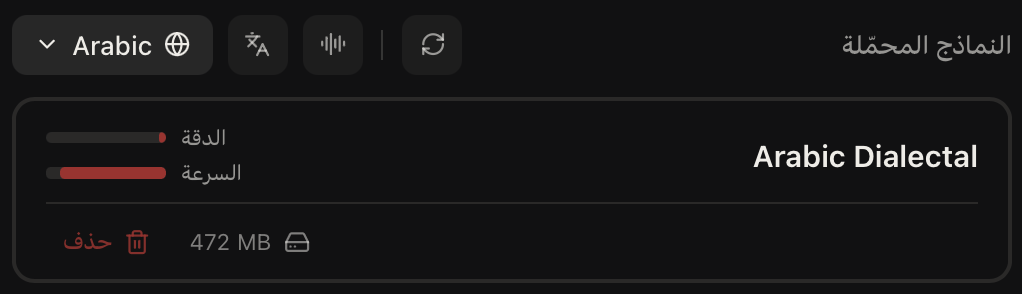
Open Models, filter to Arabic, and download the one you want. The fast one is 472 MB, the most accurate is 1.5 GB. It downloads once, and after that Malfooz works offline.
Hold the key and speak
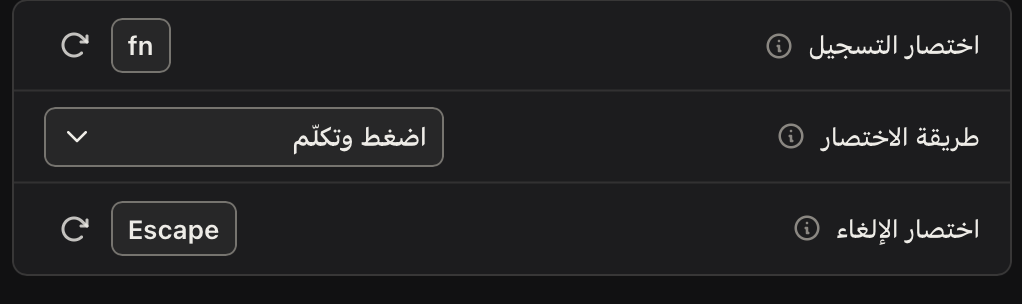
Under General you will see the recording shortcut, fn by default. Hold it, speak, and let go. The words are typed wherever your cursor is, in any app.
Moving to another computer?
Open Settings, press Deactivate on this machine, then paste the same key on the new computer.
Need help?
Email us and we will answer: [email protected]